Table of Contents
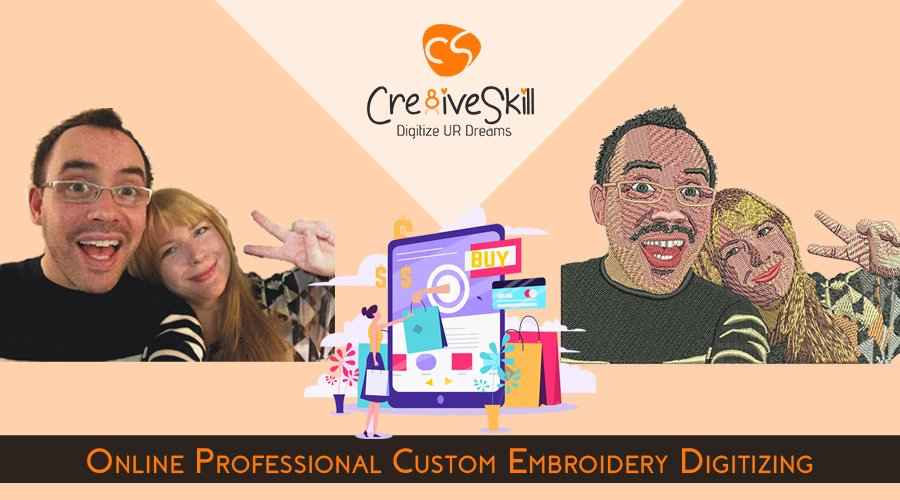
Online Professional Custom Embroidery Digitizing
Every embroidery project starts with an idea. It may be a company logo, name, monogram, badge, mascot, floral pattern, illustration, quote, or completely custom artwork created for a particular garment or product. Custom embroidery digitizing converts that visual idea into a machine-readable stitch file. It is not simply a process of changing one image format into another.
Professional digitizing determines how artwork should actually be constructed using stitches so it can perform properly during machine embroidery. This process connects artwork, fabric, thread, embroidery machinery, and production planning.
For embroidery businesses, apparel brands, promotional product suppliers, sports teams, fashion companies, and individual customers, an online workflow makes the entire process easier. Artwork can be submitted digitally, requirements can be shared with professional digitizers, and the completed file can be delivered online.
What Is Custom Embroidery Digitizing?
Custom embroidery digitizing is the process of converting artwork into a stitch file created specifically for an embroidery machine. A professional digitizer analyzes each element of the design and determines how it should be embroidered.
Important decisions may include:
- Stitch type
- Stitch direction
- Stitch density
- Underlay
- Pull compensation
- Design sequencing
- Color changes
- Small lettering
- Fine details
- Trims and jumps
- Fabric behavior
- Final embroidery dimensions
The objective is to create digitized embroidery that maintains the recognizable appearance of the original artwork while also supporting reliable production. This is why professional embroidery digitizing involves more than automatic image conversion.
How Does Online Custom Embroidery Digitizing Work?
Using an embroidery design online service allows the complete process to be managed digitally.
Submit Your Artwork
Customers can provide logos, drawings, photographs, illustrations, monograms, or other artwork.
Common source formats include JPG, PNG, PDF, TIFF, AI, EPS, and CDR. Providing the clearest version available helps the digitizer understand the original shapes, lettering, proportions, and details.
Share Production Requirements
Artwork alone does not provide every detail needed for embroidery.
Customers should ideally provide:
- Required embroidery size
- Garment or product type
- Fabric
- Design placement
- Preferred thread colors
- Required embroidery format
- Any special embroidery technique
These details help the digitizer prepare the file according to the intended application.
Plan the Stitch Structure
The digitizer decides how individual areas should be constructed.
For example, lettering may use satin stitches, larger areas may require fill stitches, and fine outlines may need another stitch treatment. Stitch direction, density, sequencing, and supporting stitches are also planned.
Prepare the Machine-Ready File
Once the design structure has been completed and reviewed, the artwork is exported into the required embroidery machine format.
The result is a production-ready file containing instructions for the embroidery machine.
Why Does Professional Embroidery Digitizing Matter?
A design may look excellent on a computer screen but still produce poor embroidery. Digital artwork is created using pixels, shapes, curves, and colors.
Embroidery is created using physical thread and repeated needle movement through fabric. A professional digitizer therefore needs to understand how thread and fabric interact.
Poor digitizing may contribute to:
- Excessive stitch density
- Fabric puckering
- Distorted shapes
- Small lettering becoming unclear
- Uneven borders
- Unnecessary thread trims
- Gaps between design areas
- Missing fine details
- Excessive machine movement
Professional digitizing creates a stronger foundation for clean and efficient embroidery production.
.png)
Can Any Logo or Artwork Be Digitized?
Many types of artwork can be converted into embroidery, including:
- Logos
- Names
- Monograms
- Floral artwork
- Mascots
- Badges
- Symbols
- Decorative illustrations
- Custom lettering
However, not every visual element can always be reproduced exactly in thread. Tiny lettering, extremely thin lines, complicated shadows, gradients, or very small details may require adjustments depending on the requested embroidery size.
A professional custom embroidery digitization service provider evaluates these details and determines how they can be translated effectively into stitches. The goal is not simply to make the stitch file look identical to the original artwork on screen. It must also work when physically embroidered.
Does Raster or Vector Artwork Affect Embroidery Digitizing?
Customers may submit either raster or vector artwork. Raster images such as JPG and PNG files are made from pixels. Vector files use editable paths, curves, and shapes. Clean vector artwork may make logos and geometric designs easier to interpret, but a vector file is not automatically an embroidery file.
It still needs professional embroidery digitizing. Raster images can also be used when they contain enough visible information. If the source artwork is extremely blurry or low resolution, artwork cleanup or vector reconstruction may be helpful before digitizing begins.
What Types of Custom Embroidery Can Be Digitized?
Different embroidery applications require different approaches.
Logo Embroidery: Company logos are commonly digitized for uniforms, polos, jackets, caps, workwear, and promotional apparel.
Monogram Embroider: Names, initials, and decorative lettering can be prepared for shirts, towels, bags, uniforms, gifts, and home textiles.
Badge and Patch Embroidery: Badges and patches often combine lettering, borders, symbols, colors, and filled areas that require careful sequencing.
Applique Embroidery: Applique combines fabric pieces with embroidery stitches. The file may include placement, tack-down, and finishing sequences.
3D Puff Embroidery: 3D puff uses foam beneath selected stitching to create a raised appearance, particularly on caps and structured headwear.
Chenille, Chain Stitch, and Decorative Embroidery: Chenille, chain stitch, cording, sequins, and other decorative techniques require specialized planning based on the equipment and intended result.
How Does Fabric Affect Embroidery Digitizing?
Fabric plays an important role in the digitizing process. Cotton, polyester, linen, denim, fleece, knits, poplin, and other materials behave differently under embroidery.
The digitizer may consider:
- Fabric stretch
- Thickness
- Stability
- Surface texture
- Stitch coverage
- Underlay
- Density
- Design size
The same logo may therefore need different planning when embroidered on a polo shirt, structured cap, jacket, or soft fleece garment.
What Should You Send to an Embroidery Digitizing Company?
Providing clear information at the beginning can reduce unnecessary revisions.
Before placing a custom embroidery digitizing order, share:
- Original artwork
- Required width and height
- Fabric or garment type
- Design placement
- Thread color preferences
- Required machine format
- Intended embroidery technique
- Important details that must remain visible
These specifications give the digitizer a clearer production target.
How Do You Choose a Custom Embroidery Digitization Service Provider?
A reliable custom embroidery digitization service provider should understand both artwork and actual embroidery production.
Important factors include:
Design experience: Logos, caps, patches, lettering, monograms, and detailed illustrations need different approaches.
Fabric knowledge: Stitch density, underlay, and compensation may change according to material.
Machine-format support: The provider should deliver the required embroidery format.
Artwork evaluation: A professional digitizer should identify details that may need adjustment rather than blindly converting everything.
Quality control: The stitch structure should be reviewed before final delivery.
These factors are particularly important for commercial embroidery businesses handling repeated customer orders.
Why Is Custom Digitizing Different From Auto-Digitizing?
Automatic digitizing tools can generate stitches from certain types of artwork, but professional custom digitizing requires additional judgment. Automated software may identify shapes and suggest stitches, but it may not fully understand fabric behavior, small lettering, underlay requirements, stitch direction, sequencing, or which details should be simplified.
For production-oriented embroidery, experienced human decisions remain important. A good embroidery file is not defined by how quickly it was generated. It is defined by how effectively the design has been prepared for its actual embroidery application.
How Does Cre8iveSkill Support Custom Embroidery Digitizing?
Cre8iveSkill provides online professional embroidery digitizing for businesses and customers who need artwork converted into machine-ready stitch files. Projects may include logos, monograms, badges, floral patterns, lettering, custom illustrations, patches, caps, applique, or other specialized embroidery applications.
The process begins by understanding the supplied artwork and how it will be used. Factors such as size, fabric, placement, stitch direction, density, underlay, sequencing, and required embroidery format can then be considered before preparing the final file. Whether the source is clean vector artwork or a raster image, the objective remains the same: translate the original design into practical digitized embroidery prepared for real production.
Professional custom embroidery digitizing brings creative artwork and computerized embroidery together, allowing a simple idea to become a machine-ready design for apparel, accessories, branding, promotional products, or personalized projects.
FAQ
Custom embroidery digitizing converts a logo, image, text, monogram, illustration, or other artwork into a machine-readable embroidery stitch file. A professional digitizer plans stitch types, direction, density, underlay, sequencing, pull compensation, trims, and other production details according to the design, fabric, size, placement, and intended embroidery application. Learn More.
Yes. JPG, PNG, PDF, AI, EPS, and other raster or vector files can be used as source artwork for embroidery digitizing. The digitizer evaluates the artwork and creates the stitch structure required for the selected application. A vector file itself is not an embroidery file and still needs to be converted into machine-readable stitch instructions.
Provide your artwork, required embroidery size, garment or fabric type, placement, preferred thread colors, and required machine file format. Also mention whether the project involves flat embroidery, caps, patches, applique, 3D puff, chenille, or another specialized technique so the file can be prepared for the intended production setup.
Automatic digitizing tools can create an initial stitch structure, but professional digitizing involves additional production judgment. An experienced digitizer considers fabric behavior, stitch direction, density, underlay, small lettering, sequencing, pull compensation, trims, and machine performance to create a more practical and production-ready embroidery file.
